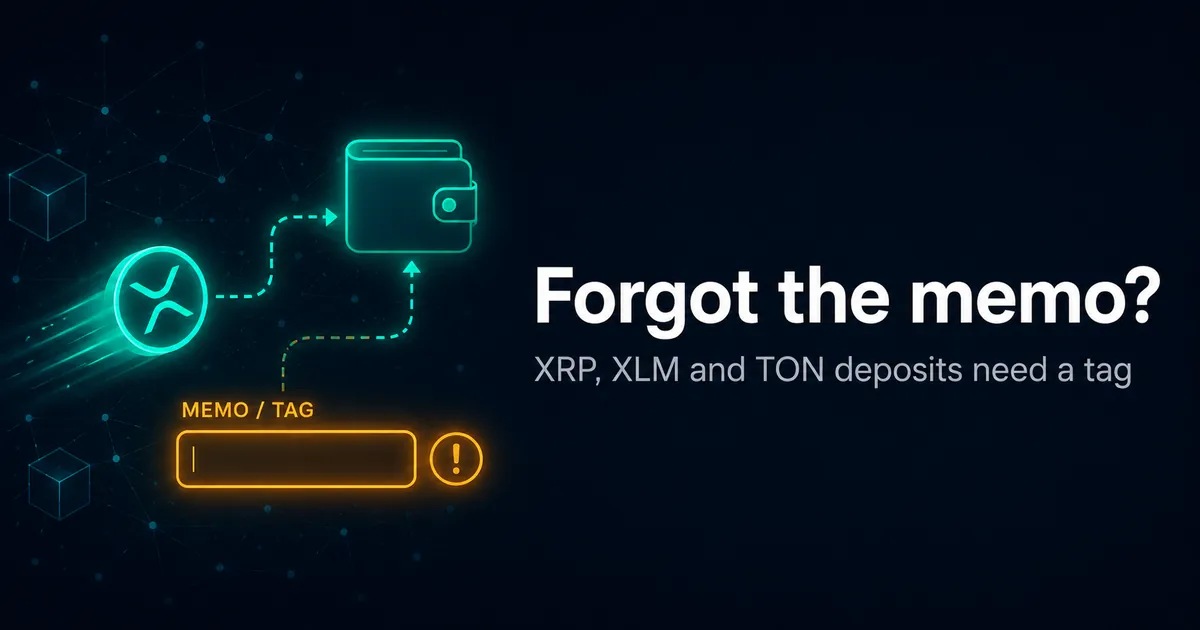
Missing memo or destination tag on a deposit?
Some coins are deposited to a single shared wallet that every player uses. The memo (or destination tag) is the only thing that tells the operator the deposit is yours. Leave it out and the coins arrive — but land in limbo until support links them to your account.
Why a missing memo is the good kind of mistake
It helps to know exactly where your coins are before you panic. A memo error and a wrong-network send feel identical in the moment, but they are opposites underneath. When you forget a memo, the transaction itself was valid: the right coin moved on the right chain to the right address. The block explorer shows it confirmed and sitting in the operator's wallet. The only missing piece is the label that says the deposit is yours.
A wrong-network send is the harder case. There the coins landed on a chain the operator does not control at that address, or at an address with no matching private key, so reaching them depends on factors outside support's hands. With a missing memo the operator already holds the funds. Crediting them is an internal bookkeeping step, not a recovery from a foreign chain. That is why the realistic outcome for a no-memo deposit is "credited after a support ticket", while a wrong-network send is frequently unreachable. If you are not sure which of the two happened to you, the wrong-network guide walks through how to tell them apart.
Memo, destination tag and comment are the same idea
Different chains use different names for the same mechanism, which is a large part of why this trips people up. On the XRP Ledger the field is the Destination Tag, a 32-bit unsigned integer the network documents specifically for shared and hosted wallets that serve many customers from one address (source: XRP Ledger docs, xrpl.org, Destination Tag). On Stellar the equivalent is the Memo, which can be an ID, text or hash and exists so a single account can route incoming payments to the correct customer (source: Stellar docs, stellar.org, Memos). Cosmos calls its transaction note a Memo, Toncoin labels it a Comment or memo, and EOS and Hedera both call theirs a Memo. The wording on your wallet's send screen will match whichever chain you are using.
One rule survives every naming difference: a memo is not an address. It is a separate value carried inside the same transaction, and it goes in its own field. Pasting a destination tag into the address field, or an address into the memo field, breaks the deposit. If your wallet shows only an address box and no memo box for one of these coins, that is worth a second look before you send, because the operator's deposit screen for that coin will normally show both.
Which coins require a memo or tag
| Coin | Field name | Required on shared wallets? | If omitted |
|---|---|---|---|
| XRP | Destination Tag | Yes | ⚠️ Usually recoverable |
| Stellar (XLM) | Memo | Yes | ⚠️ Usually recoverable |
| Toncoin (TON) | Memo / Comment | Yes | ⚠️ Usually recoverable |
| Cosmos (ATOM) | Memo | Yes | ⚠️ Usually recoverable |
| EOS | Memo | Yes | ⚠️ Usually recoverable |
| Hedera (HBAR) | Memo | Yes | ⚠️ Usually recoverable |
| BTC, ETH, USDT, USDC, LTC, TRX, SOL | — | No memo | ✅ N/A |
Memo/tag requirements are properties of the chain, not the casino. Source: XRP Ledger Destination Tag field; Stellar/EOS/Cosmos/Hedera/TON memo fields. Verified 2026-06-22.
The reason these coins behave differently: operators pool every player's deposits of that coin into one shared address, so the address alone can't tell them who sent what. The memo or destination tag is a short number carried inside the transaction that the operator matches to your account. Send without it and the coins still arrive at the shared address — visible on that chain's public block explorer — but with no tag to match, they sit unattributed until support links them by hand.
Some casinos give you a dedicated address, so no memo is needed
The shared-wallet model is not the only way operators handle these coins. Many modern casinos generate a unique deposit address for each player, even for XRP, XLM or TON. When every account has its own address, the address by itself identifies the player, so there is nothing to attribute and no memo to forget. On those sites the deposit screen will show only an address and no memo box.
This is where one habit keeps you safe across both models: always do exactly what the deposit screen tells you. If it shows a memo or tag, use it, even on a coin you think of as memo-free. If it shows only an address, send only the address. Do not assume from the coin alone, and do not reuse a tag from a previous deposit, because operators sometimes rotate them. The screen in front of you at the moment you deposit is the only source of truth that matters.
How to recover a no-memo deposit
- Locate your transaction hash (TXID) in your sending wallet or exchange.
- Find the memo/tag you should have used — it's shown on the operator's deposit screen for that coin.
- Open a support ticket with both, plus your account username. The XRP deposit checker writes this message for you.
- Be patient — manual crediting of shared-wallet deposits can take hours to days.
Never pay to recover it
Only the operator's official support can credit a no-memo deposit, and they do it for free. Anyone charging a fee or asking for your seed phrase is a scammer.
Worked example: XRP sent without a destination tag
Here is how a typical case plays out. A player sends 200 XRP from an exchange to a casino's XRP address but leaves the destination tag blank. The exchange reports the withdrawal as complete, and the XRP Ledger explorer shows the transaction confirmed within seconds — the coins are clearly sitting at the operator's address. But the casino balance stays at zero, because without the tag the operator has no way to know which of its many XRP depositors sent those 200.
The fix is the same bookkeeping step described above. The player copies the transaction hash from the exchange, opens a support ticket, and gives the operator three things: the hash, the casino account username, and the destination tag the deposit screen had shown. Support locates the unattributed transaction at the shared address, matches it to the account, and credits the balance. There is nothing to retrieve from another chain, because the coins never left the operator's wallet. The wait is for a human to process the ticket, not for a technical recovery — and that is exactly why this case is so much more forgiving than a wrong-network mistake.
Skip memos entirely next time
Memo mistakes only happen with shared-wallet coins. Depositing somewhere that gives you dedicated addresses and doesn't rely on memos removes the risk.
FAQ
Which coins need a memo or destination tag?
On deposits to a shared operator wallet, XRP needs a Destination Tag, and Stellar (XLM), EOS, Cosmos (ATOM), Hedera (HBAR) and Toncoin (TON) need a Memo. Coins like BTC, ETH, USDT, USDC, LTC and TRX do not use a memo.
I forgot the memo — is my deposit lost?
Usually not. The coins reached the operator's shared wallet; they just aren't linked to your account yet. Operators can normally credit them once you provide the transaction hash and the memo/tag you should have used. It can take time and isn't guaranteed, but it's far more recoverable than a wrong-network send.
Can I add a memo after sending?
No. The memo is part of the original transaction and cannot be changed afterward. Recovery is handled manually by the receiving operator's support team.
Is a memo the same thing as the deposit address?
No. A memo or destination tag is a separate short value that travels inside the transaction alongside the address. It never replaces the address and must never be pasted into the address field. The address routes the coins to the operator; the memo tells the operator which player the coins belong to.
Related: sent on the wrong network · deposit stuck pending · forgot a memo on withdrawal · per-operator deposit guides.